Alert rules that fire only when you want them to.
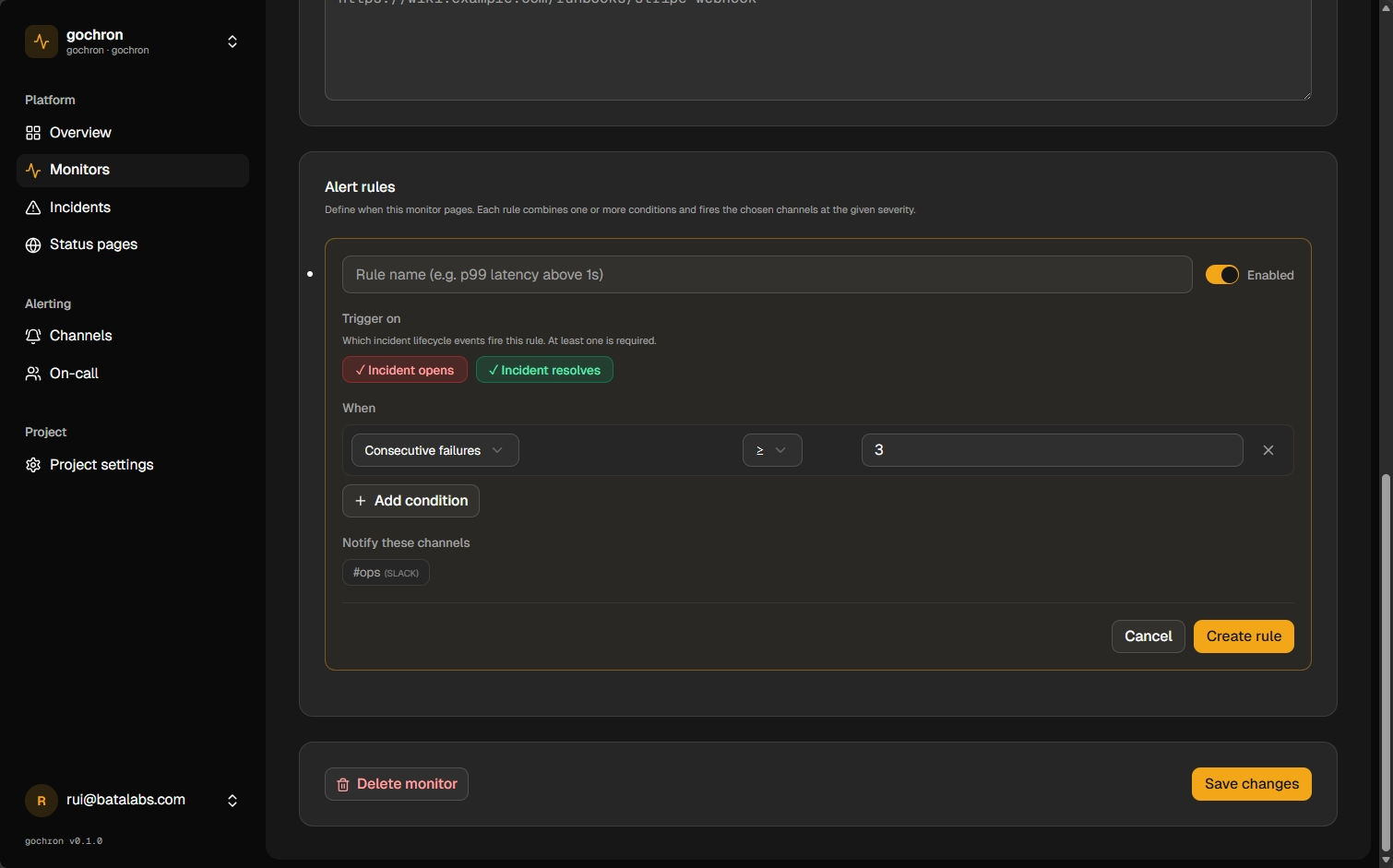
Datadog-style conditions on latency, status code, region, and consecutive failures. AND/OR logic. Per-rule channel routing. Per-rule lifecycle events. Pages your team only on the incidents that matter.
When this feature earns its keep.
Three concrete patterns. Use them as templates for your own setup.
Page on p99 above SLO
Fire only when probe latency exceeds 1,000ms across at least 3 of 6 regions consecutively. Route to a #latency Slack channel — not the on-call rotation. Latency degradation deserves attention, but rarely deserves an immediate page.
Hard failures only
Filter: status_code in [502, 503]. Skip 4xx (user errors) and timeouts (handled by a different runbook). One rule, surgical routing — fewer false pages.
Different rules for opens and resolves
Rule fires on incident_open → Slack + on-call. Same rule on incident_resolved → email-only digest. Engineers get woken up for opens, not for recoveries.
How it works.
Pick conditions, pick lifecycle events, pick channels. Save. The rule fires on every matching incident — no other configuration needed.
Wires into every monitor type and every alert channel. See all platform features
Open a monitor + click Add rule
Rules are per-monitor — each monitor has its own list. The same condition can fire different rules on different monitors with different channel routing.
Define the conditions
Field + operator + value, combined with AND or OR. Conditions are optional — omit them for an always-fire rule (the unified replacement for the old subscription model).
Pick events and channels
Tick the lifecycle events (incident opens, resolves, or both) and the alert channels to notify. Save — the rule is live.
FAQ
- How are rules different from notification channels?
- Channels are the destinations (an email address, a Slack webhook URL, a phone number). Rules decide which channels get notified for a given incident. One channel can be reused across many rules; one rule can target many channels.
- Can a rule have no conditions?
- Yes — an empty conditions list means 'fire on every listed event for this monitor.' It's the unified equivalent of the legacy subscription model and the right choice for 'page me on every incident, no filtering.'
- Can I combine AND with OR?
- Each rule has a single AND/OR mode that applies to all its conditions. For complex boolean logic, split into multiple rules — three OR-ed conditions in two rules with AND mode covers most real cases without nested expression parsing.