Status pages your customers actually read.
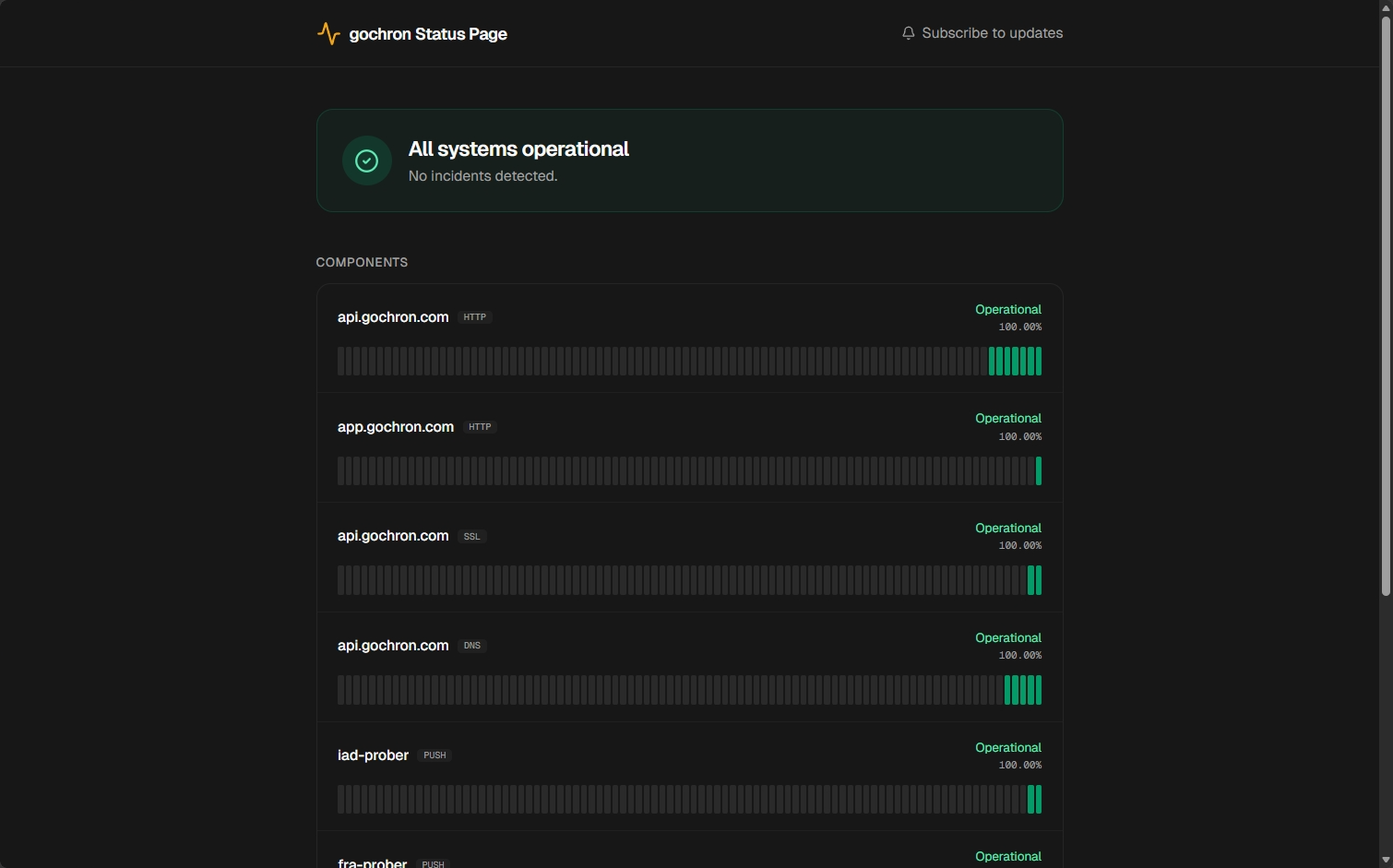
Branded public pages with incident timelines, real-time uptime bars, and per-monitor history. Custom domain on Pro and above. Subscriber emails for outage notifications. No vendor badge on any tier.
When this feature earns its keep.
Three concrete patterns. Use them as templates for your own setup.
Customer-facing uptime
status.your-product.com with your logo, your colors, and the monitors that matter to customers. No 'Powered by X' badge anywhere — your brand only. Subscribers can opt in for incident emails.
Internal-only status board
Same setup, gated behind an access token. For internal services where the team needs the data but customers don't. The dashboard's full power, embedded in your internal portal.
Incident communication
Open an incident manually and post updates as the situation evolves. Subscribers get emailed at every transition. RSS feed available for Slack integrations and on-call alerts.
How it works.
Create the page, attach monitors, point your domain. Subscribers can opt-in for outage notifications without any code on your side.
Wires into every monitor type and every alert channel. See all platform features
Create the page
Slug + title + description. Pick a theme (minimal, bars, or cards) and color scheme (system, light, or dark). Optional accent color for brand match.
Attach monitors
Choose which monitors to surface. Per-page display-name overrides let you show customer-friendly labels ('Login API' instead of 'login-prod-eu') without renaming the underlying monitor.
Point your domain
Pro and above: serve at status.your-domain.com via a CNAME we'll show you in the dashboard. Free shows the gochron-hosted slug (status.gochron.com/your-org).
FAQ
- Which incidents do subscribers see?
- Only incidents on monitors attached to that specific status page. You control which monitors live on which page — customer-facing pages can show a subset, while internal pages can show everything.
- Can I mark a test or false-positive incident?
- Yes — dismiss the incident from the dashboard with an optional reason. Dismissed incidents stay in audit history but are excluded from the public uptime number and the bars grid on the status page.
- Is there an RSS feed?
- Yes — every status page exposes RSS at /status/<slug>/feed.xml for the incident timeline. Use it for Slack incoming webhooks, IFTTT, or a custom incident-aggregation pipeline.