On-call rotations that page the right person, every time.
Build a rotation. Layer overrides for vacations. Escalate through email, Slack, SMS, or webhooks. All wired into your monitor's alert rules so the right person gets paged the moment something breaks.
When this feature earns its keep.
Three concrete patterns. Use them as templates for your own setup.
Weekly shift rotation
Three engineers, weekly rotation. Whoever's on this week gets every incident page automatically. No calendar invites, no manual handoffs, no missed pages on a Monday morning.
Follow-the-sun coverage
Three teams in three timezones. The schedule routes incidents to whichever team is awake. A page at 3am US time wakes up the EMEA on-call, not your sleeping engineer.
Vacation overrides
Alice is out for two weeks. Set an override pointing to Bob for that window. The rotation auto-resumes on Alice on her return date. No code changes, no forgotten handoffs.
How it works.
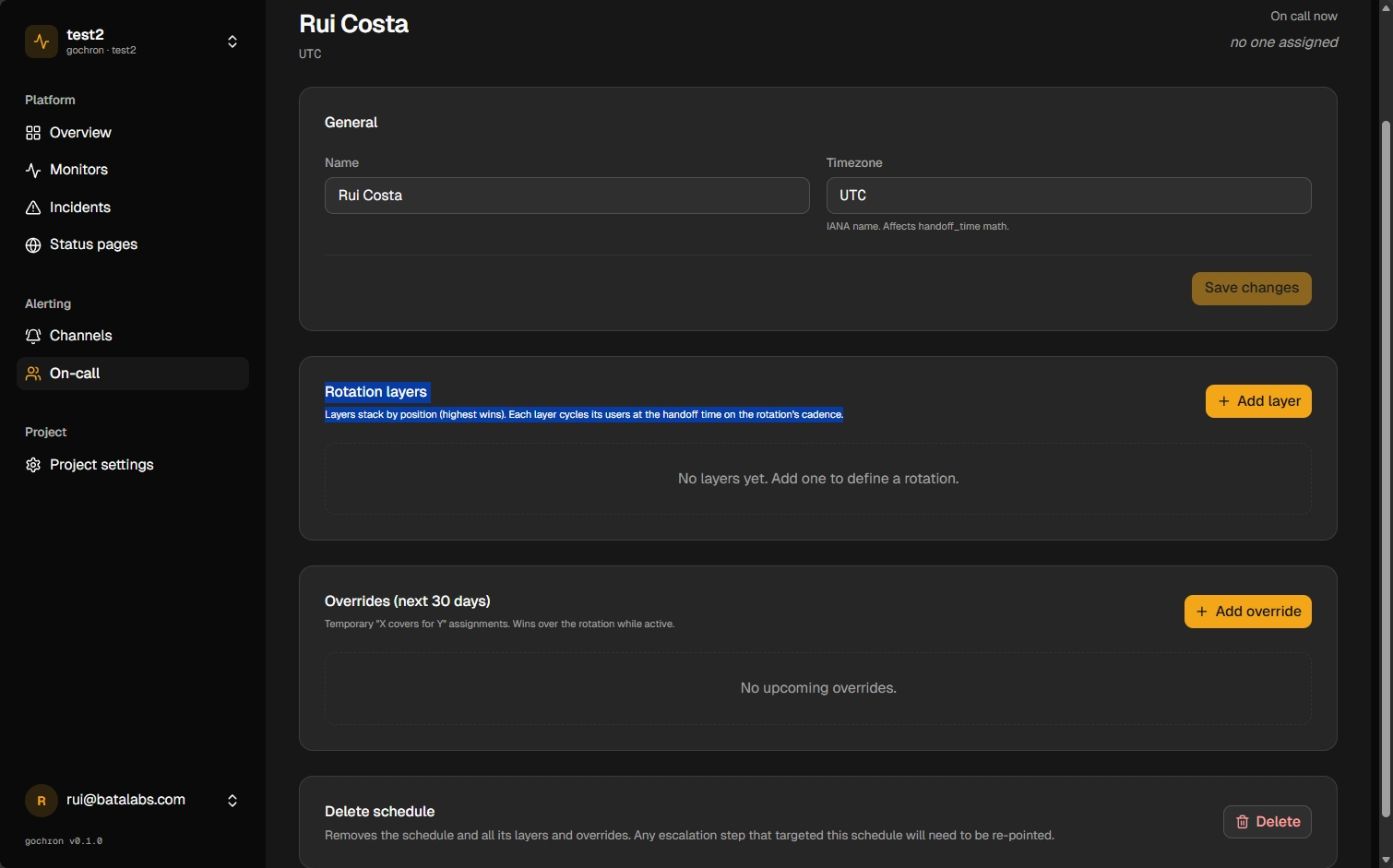
Create a schedule, add the rotation layers, then attach it to an alert rule via an escalation policy. All three pieces live in the dashboard.
Wires into every monitor type and every alert channel. See all platform features
Create a schedule
Name it (e.g. primary-oncall), pick a timezone, and add one or more rotation layers. Layers compose — primary, secondary, manager — each fired sequentially if the previous step doesn't acknowledge.
Define an escalation policy
Decide what happens when a monitor fires: page the on-call, wait N minutes, escalate to a backup, post to #incidents if nothing acks. Policies are reusable across monitors.
Wire it into a monitor
Attach the escalation policy to your monitor's alert rule. When the rule fires, the rotation gets the page through your configured channels.
FAQ
- What's the difference between a schedule and an escalation policy?
- Schedule = who is on-call right now. Escalation policy = what we do when an incident fires (page who, wait how long, escalate to whom). One policy can reference multiple schedules across its steps.
- Which channels can the rotation page through?
- Email, Slack, SMS, and webhook on Pro and above. Email is included on every tier; SMS and webhooks unlock at Pro. The rotation can route to any combination per escalation step.
- What happens if no one acknowledges?
- Each escalation policy step has a wait timer. When it elapses without an ack, the next step fires — a different rotation, a manager, or a generic #incidents channel. Acks come from any channel that supports them (email reply, Slack button, SMS reply).